Install PremiereTrade FOREX Alerts 3.0  

Install PremiereTrade FOREX Alerts 3.0

Start the PremiereTrade FOREX Alerts 3.0 installation process by clicking on the button below (Step #1).


  1. When the download has completed, open the Alerts 3.0 setup by clicking on the icon.

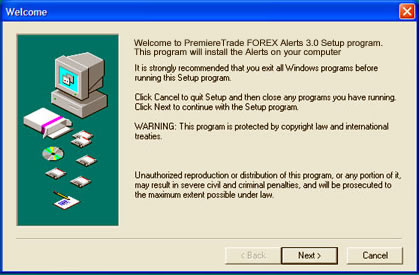
  2. Click the next button as shown below.


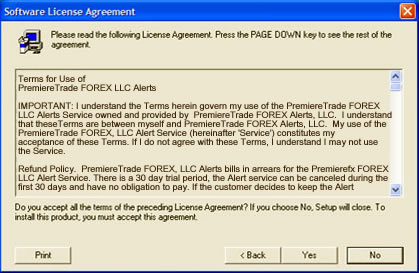
  3. Read the License Agreement and click Yes.
    If you decline by selecting NO, you cannot continue with the installation.


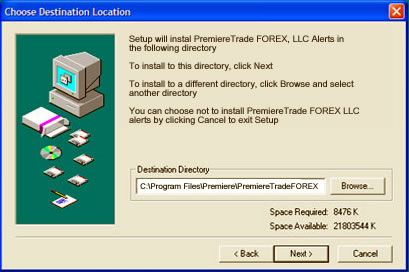
  4. Click Next
    While you may choose your own Destination Directory, it is recommended that you select the default settings.


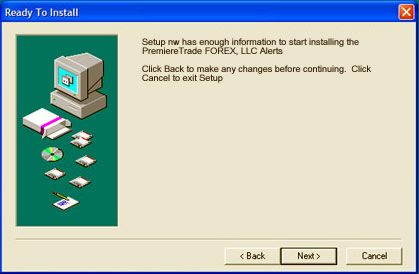
  5. Click Next to complete the installation.


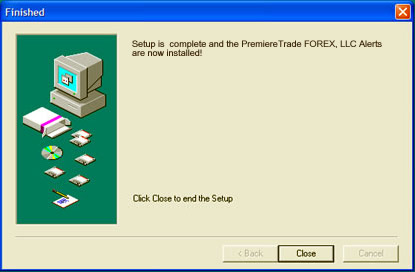
  6. The installation is now complete.


  7. Double click the FX Alerts Icon.


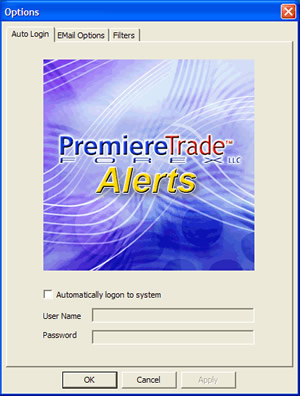
  8. Enter you Username and Password. Select Automatically logon to system if you wish for your Username and Password to be remembered.


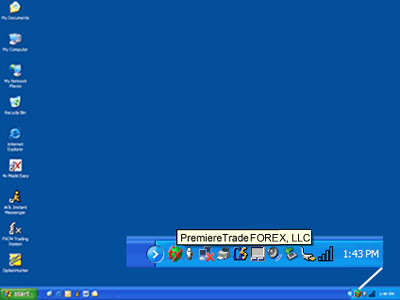
  9. The PremiereTrade FOREX Alerts 3.0 are running when the icon appears in the tray.


www.premierefx.com


Unless explicitly stated otherwise, all content on this site is Copyright © 2004 PremiereTrade FOREX, LLC. All rights reserved. No portion of this site may be reproduced in any form without prior express written consent of PremiereTrade FOREX, LLC. and its affiliates.